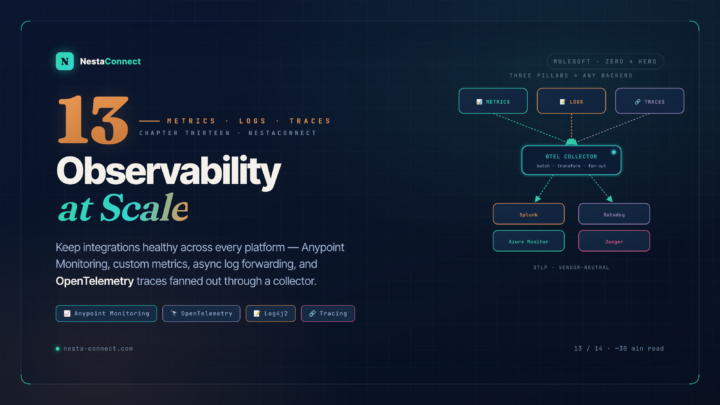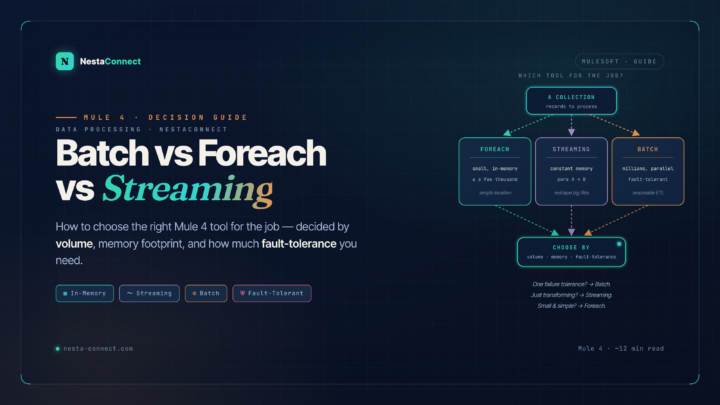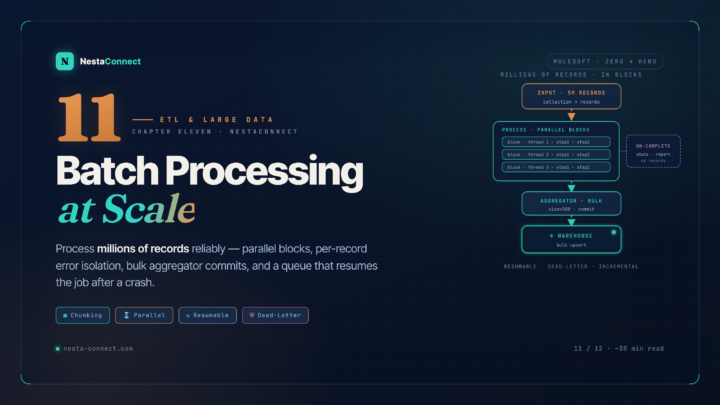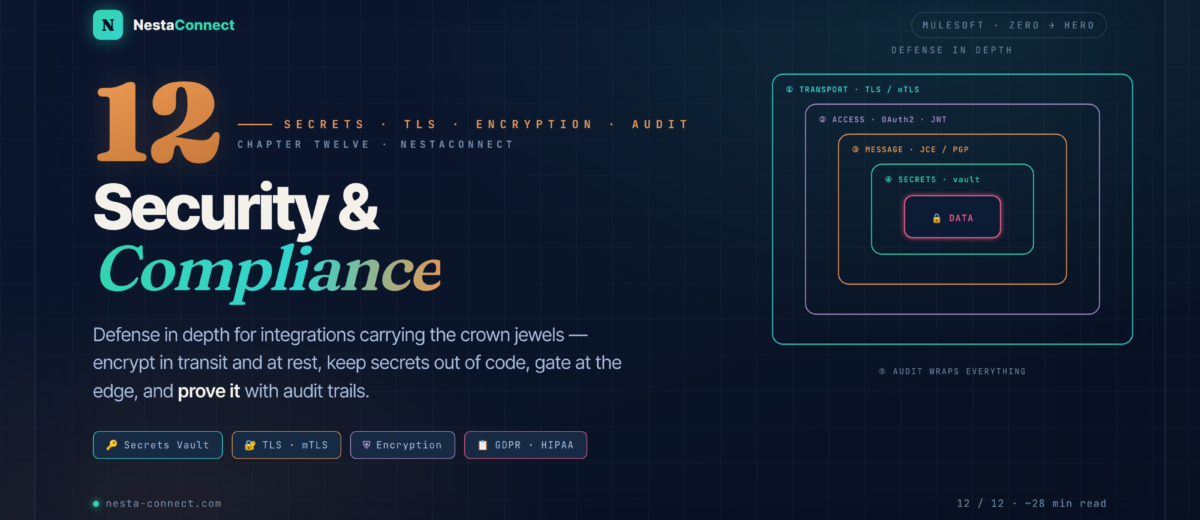
Integrations carry the crown jewels — PII, payment data, health records. This chapter is the defense-in-depth playbook: encrypt in transit and at rest, keep secrets out of code, enforce access at the gateway, and prove compliance with audit trails and masking.
You’ve spent eleven chapters building integrations that move data fast and at scale. This one is about not getting fired for it. Integrations are where sensitive data flows — personal information, financial records, protected health data — and a single hardcoded password or unencrypted hop can become a breach. In Chapter 11 you moved millions of records; here you learn to move them safely, and to prove to an auditor that you did.
The companion repo carries the security building blocks: a Secure Configuration Properties setup with an encrypted YAML, TLS contexts for inbound and outbound, Cryptography-module JCE and PGP flows, an OAuth/JWT-protected API, and the full HIPAA patient-API with its audit sub-flow and SSN-masking transform.
→ github.com/nestaconnect/mulesoft-from-zero-to-heroBy the end of this chapter you will:
- Think in security layers — transport, message, access control, secrets, and audit
- Keep secrets out of code with the Secure Configuration Properties module and external vaults
- Configure TLS for inbound (HTTPS) and outbound connections, including mutual TLS
- Enforce access with API Manager policies — Client ID, OAuth 2.0, JWT, and LDAP
- Encrypt data inside the message with the Cryptography module (JCE and PGP)
- Meet compliance obligations with audit logging, data masking, and right-to-erasure design
- Tie it together in a HIPAA-compliant patient-data API
01 · Defense in Depth — Security Is Layered, Not a Switch
There is no single “make it secure” toggle. Real security is defense in depth: independent layers that each assume the others might fail. Strip any one away and the rest still buy you time. In MuleSoft these layers map cleanly onto platform features.
02 · Secrets — Never Hardcode a Credential
Hardcoding a password, API key, or token into a config is the original sin. MuleSoft gives you two escalating options: Secure Configuration Properties for encrypted files, and external vaults for enterprise-grade secret management with rotation and audit.
2.1 · Secure Configuration Properties
Externalize secrets into a YAML or properties file, encrypt the sensitive values with the secure-properties-tool.jar, and wrap each encrypted value in the ![ ] marker. The runtime decrypts them on startup using a master key you supply at deploy time — never stored in the repo.
db:
  user: app_user
  password: "![nZ2k9c1p8Qe7w3R5tY0aBg==]"   # encrypted
salesforce:
clientSecret: "![v8H1m4Lq2Xs6dF0kPzR7yA==]"<!-- the master key arrives at runtime, e.g. -M-Dmule.key=${MULE_KEY} -->
<secure-properties:config name="Secure_Props"
file="secure.yaml" key="${mule.key}">
<secure-properties:encrypt algorithm="AES" mode="CBC"/>
</secure-properties:config>
<!-- reference an encrypted value with secure:: -->
<db:config name="DB">
<db:my-sql-connection user="${db.user}"
password="${secure::db.password}"/>
</db:config>To produce those encrypted values, run the tool — AES in CBC mode, with a 16-character key for AES-128:
java -jar secure-properties-tool.jar string encrypt AES CBC \
  "my16charMasterKey" "myPlainTextPassword"
2.2 · External vaults & the chain of trust
For production, graduate to an external vault — Azure Key Vault or HashiCorp Vault — which centralizes secrets and supports automated rotation and access auditing. The pattern that ties it together is a chain of trust: the application’s secrets live in the vault; the vault’s own access credentials live in an encrypted secure-properties file; and that file’s master key is injected by the CI/CD pipeline at deploy time. No secret is ever at rest in the repository.
Pipeline injects the master key → master key decrypts the secure-properties file → that file holds the vault credentials → the vault returns the app secrets. Each link protects the next, and rotating a leaked secret is a vault operation, not a redeploy. Never put vault credentials, or the master key, in source control or a Docker image.
03 · TLS — Encrypt Every Hop
All communication should be encrypted in transit — yes, even “internal” calls. Mule uses a reusable <tls:context> for both inbound listeners (HTTPS) and outbound requests. A keystore proves your identity; a truststore decides whom you trust. Require a client certificate on the listener and you have mutual TLS — both sides authenticate.
<tls:context name="Server_TLS">
  <tls:key-store type="PKCS12" path="server-keystore.p12"
                 password="${secure::keystore.password}"
                 keyPassword="${secure::key.password}"/>
  <!-- trust-store present + insecure=false ⇒ client cert required (mTLS) -->
  <tls:trust-store type="PKCS12" path="truststore.p12"
                   password="${secure::truststore.password}"/>
</tls:context>

<http:listener-config name="HTTPS">
  <http:listener-connection host="0.0.0.0" port="8443"
        protocol="HTTPS" tlsContext="Server_TLS"/>
</http:listener-config>

<!-- outbound: validate the server's cert against your truststore -->
<http:request-config name="Partner_API">
  <http:request-connection host="api.partner.com" port="443"
        protocol="HTTPS" tlsContext="Server_TLS"/>
</http:request-config>
04 · Access Control — Policies at the Gateway
As you saw in Chapter 7, API Manager enforces policies before your code runs. For security that means authentication and authorization happen at the edge, so an unauthorized request never touches your flow logic.
| Policy | What it checks | Use when |
|---|---|---|
| Client ID Enforcement | client_id + client_secret identify the calling app | App-level identity & rate-limit tiering |
| OAuth 2.0 Access Token | Token validity, expiry, and scopes via a provider | Delegated, user-level authorization |
| JWT Validation | Signature against a JWKS, issuer, audience, expiry | Stateless tokens from Okta / Auth0 / Ping |
| Basic Auth · LDAP | Username/password against a corporate directory | Internal APIs tied to Active Directory |
| Custom (PDK) | Whatever you code — e.g. keys against a DB | Requirements the built-ins don’t cover |
Client ID tells you who is calling; it doesn’t limit what they can do. Layer a JWT or OAuth 2.0 policy with scopes on top, and validate the scope in-flow before sensitive operations. A JWT policy typically injects claims you can read from attributes.headers — gate patient:read versus patient:write there. Requests without a valid token are rejected with 401 at the gateway.
05 · Message Encryption — Protecting the Payload Itself
TLS protects data on the wire, but sometimes you must protect the data itself — when it’s written to a file, parked on a queue, or relayed through an untrusted intermediary. The Cryptography module provides JCE (fast, key-based AES/RSA) and PGP (the standard for files exchanged with partners).
<crypto:jce-config name="Crypto_JCE" keystore="keystore.jceks"
                   type="JCEKS" password="${secure::ks.password}">
  <crypto:jce-symmetric-keys>
    <crypto:jce-symmetric-key keyId="dataKey" algorithm="AES"/>
  </crypto:jce-symmetric-keys>
</crypto:jce-config>

<!-- encrypt a sensitive field before it leaves the flow -->
<crypto:jce-encrypt config-ref="Crypto_JCE"
        keyId="dataKey" algorithm="AES"/>
<!-- ... later, on the way back in ... -->
<crypto:jce-decrypt config-ref="Crypto_JCE" keyId="dataKey"/>

<!-- PGP: encrypt a file with the partner's PUBLIC key -->
<crypto:pgp-encrypt config-ref="Crypto_PGP" keyId="partner@acme.com"/>Use JCE for data you encrypt and later decrypt yourself (field-level protection, at-rest payloads) — it’s lighter and faster. Use PGP when exchanging files with an external partner: you encrypt with their public key so only their private key can open it, and they do the reverse. Keep all keystores and passphrases in the vault, referenced via secure::.
06 · Compliance — Audit, Masking & the Right to Erasure
Regulations like GDPR, HIPAA, and PCI-DSS don’t just want encryption — they want provable control: a record of who accessed personal data, assurance that sensitive fields never leak into logs, and a way to delete a person’s data on request.
6.1 · Data masking
Never log raw PII. Mask sensitive fields with DataWeave before they reach a logger or a downstream system. Note the correct slice syntax — DataWeave uses [from to to], and negative indices count from the end.
%dw 2.0
output application/json
// keep only the last 4 of the SSN: "***-**-6789"
fun maskSsn(s) = if (s != null) "***-**-" ++ s[-4 to -1] else null
fun maskEmail(e) = e replace /(^.).+(@.+$)/ with ("$1***$2")
---
{
  name:  payload.name,
  ssn:   maskSsn(payload.ssn),     // ***-**-6789
  email: maskEmail(payload.email)   // j***@acme.com
}The earlier draft masked with s[7..10] — that’s not valid DataWeave, which uses s[7 to 10] for ranges. It also took the wrong characters. To show the last four of an SSN, slice from the end with s[-4 to -1]. Small syntax slips like this are exactly what leak un-masked PII into production logs, so test your masking against real formats.
6.2 · Audit logging & right to erasure
For an audit trail, record every access to sensitive data — timestamp, caller/client ID, operation, and the resource ID (never the data itself) — to a secure, append-only sink like a SIEM. For GDPR’s right to erasure, design a single deletion flow that fans out to every system holding the subject’s data to delete or anonymize it, and minimize what you store in the first place so there’s less to erase.
07 · Case Study — A HIPAA-Compliant Patient API
A healthcare provider exposes patient records to a partner mobile app. The data is PHI (Protected Health Information), so HIPAA applies: encryption in transit and at rest, strong access control, complete audit logging, and a signed Business Associate Agreement with the platform. Here’s how the layers from this chapter compose into one compliant API.
<flow name="get-patient">
  <http:listener config-ref="HTTPS" path="/patient/{id}"/>

  <!-- audit the access attempt BEFORE touching data -->
  <flow-ref name="audit-access"/>

  <db:select config-ref="DB">
    <db:sql>SELECT * FROM patients WHERE id = :id</db:sql>   <!-- parameterized -->
    <db:input-parameters>#[{ id: attributes.uriParams.id }]</db:input-parameters>
  </db:select>

  <!-- log a MASKED copy only -->
  <logger level="INFO" message="#[output application/json --- payload map (p) -> { id: p.id, ssn: '***-**-' ++ p.ssn[-4 to -1] }]"/>
</flow>

<sub-flow name="audit-access">
  <db:insert config-ref="AuditDB">
    <db:sql>INSERT INTO access_log (ts, clientId, op, patientId)
      VALUES (:ts, :clientId, :op, :pid)</db:sql>
    <db:input-parameters>#[{
      ts: now(), clientId: attributes.headers.client_id,
      op: 'patient:read', pid: attributes.uriParams.id
    }]</db:input-parameters>
  </db:insert>
</sub-flow>Data was encrypted at every moment — TLS in transit, database encryption at rest. Access was authenticated and scoped with OAuth 2.0/JWT and pinned to known devices with mTLS. Every read produced an immutable audit record with no PHI in it. Secrets lived in Azure Key Vault, never in code. And the provider signed a BAA with the platform. Each control on its own is ordinary; assembled, they’re a compliant system.
08 · Best Practices — The Security Checklist
| Practice | Why it matters | How |
|---|---|---|
| Never hardcode secrets | Secrets in code leak through repos and images | Secure Configuration Properties + external vault |
| TLS everywhere | Plaintext internal hops are still interceptable | A shared <tls:context>; mTLS for sensitive APIs |
| Least privilege | Identity isn’t authorization | Scoped OAuth/JWT, not just Client ID |
| Parameterize queries | String-built SQL invites injection | Always use <db:input-parameters> |
| Mask in logs | One raw SSN in a log is a breach | DataWeave masking before every logger |
| Rotate & patch | Stale keys and runtimes accumulate risk | Vault rotation; keep runtime & connectors current |
09 · Recap — What You Now Know
Defense in depth
Transport, access, message, secrets, and audit — independent layers that each assume the others may fail.
- No single “secure” switch
- Each layer buys time
- Audit wraps them all
- Maps to platform features
Never in code
Encrypt with Secure Configuration Properties; graduate to a vault with a master-key chain of trust.
![ ]+secure::references- Master key injected at deploy
- Vault for rotation & audit
- Chain of trust, no repo secrets
Encrypt every hop
A reusable <tls:context> secures inbound and outbound; a truststore plus client cert gives mutual TLS.
- Keystore = your identity
- Truststore = who you trust
- mTLS authenticates both sides
- Even internal calls
Gate, then encrypt
API policies authenticate at the edge; the Crypto module (JCE/PGP) protects the payload itself.
- Client ID / OAuth2 / JWT / LDAP
- Scopes for least privilege
- JCE for self; PGP for partners
- Custom policies via PDK
Prove it
Mask PII in logs, audit every access, and design a deletion flow for GDPR’s right to erasure.
- DataWeave masking (
[-4 to -1]) - Audit: who, what, when
- Right to erasure by design
- Minimize what you store
Layers, composed
mTLS, OAuth/JWT scopes, audit-and-mask flow, encrypted DB, vaulted secrets, and a BAA — a system that passes audit.
- Encrypted in transit & at rest
- Authenticated, scoped access
- Immutable, PHI-free audit trail
- Secrets in the vault
The companion repo carries every pattern here: the Secure Configuration Properties setup, inbound/outbound TLS contexts, the Cryptography-module JCE and PGP flows, the OAuth/JWT-protected API, and the complete HIPAA patient API with its audit sub-flow and masking transform. Clone it as a security baseline for your own integrations.
→ github.com/nestaconnect/mulesoft-from-zero-to-hero