MuleSoft Series · Part 1 # Anypoint Flex Gateway: Your API’s Rapid Protector
Enterprise API governance meets cloud-native agility — deployed in minutes, running anywhere. Here’s everything you need to know.

APIs are the nervous system of modern business. From mobile apps to enterprise systems, from microservices to AI platforms — everything talks through APIs. But as companies expand across hybrid and multi-cloud environments, governing that nervous system becomes a serious challenge.
Before Flex Gateway, organisations were forced into an uncomfortable compromise between heavyweight enterprise control and cloud-native agility. Flex Gateway closes that gap — entirely.
In this post we’ll unpack what Flex Gateway is, why it exists, and get it running in under 10 minutes with a real backend API.
Section 01 ## The API Governance Dilemma
Every organisation managing APIs at scale eventually hits one of three walls. If any of these sound familiar, you’ve felt the problem Flex Gateway was built to solve.
🦕 Heavyweight Legacy Gateways Slow to deploy. Painful to scale. Architecturally opinionated in ways that actively fight your modern stack.
☁️ Cloud-Native Gaps Nimble proxies lack the deep policy management, lifecycle control, and analytics enterprises depend on.
🌐 Hybrid Complexity Multiple gateways across on-prem and clouds creates inconsistent policies, fractured observability, and operational risk.
These aren’t niche edge cases — they’re the daily reality of platform engineering teams. The traditional options force a choice between governance and agility. Flex Gateway refuses to accept that trade-off.
Section 02 ## What Is Flex Gateway?
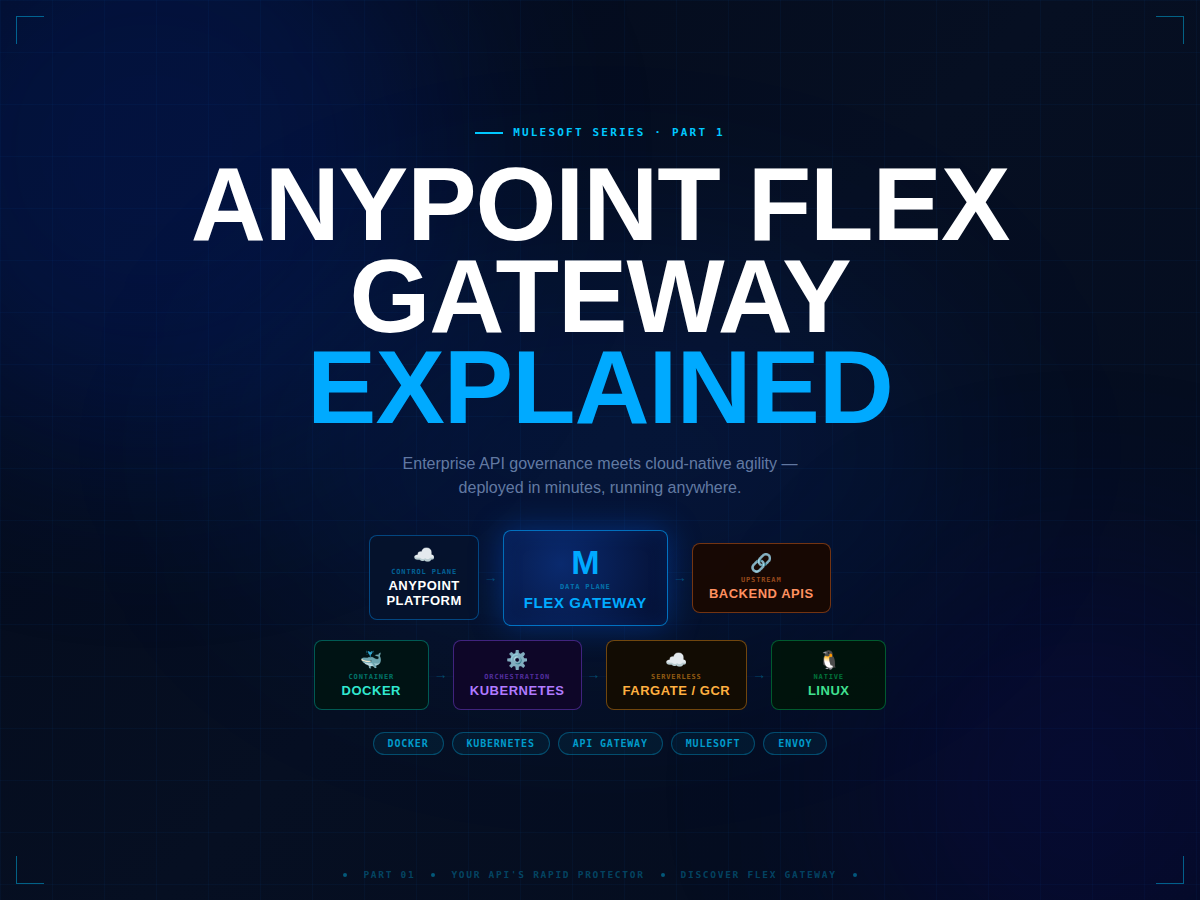
Flex Gateway is a lightweight, Envoy-based API gateway built for modern distributed architectures. Unlike the traditional Mule Runtime — a full integration engine — Flex Gateway is purpose-built for one job: standing in front of your APIs and enforcing governance with minimal overhead.
⚡
Built on Envoy Flex Gateway’s runtime is based on Envoy Proxy — the same battle-tested engine behind Istio and AWS App Mesh. You get proven performance characteristics and a familiar extension model via WebAssembly (WASM) custom policies.
The headline capability: it runs anywhere.
🐳 ContainerDocker
Single container, local or cloud. Pull image and run in seconds. Works out of the box
☸️ OrchestrationKubernetes
Helm chart deployment, sidecar or standalone mode. Helm ready
🖥️ NativeLinux
Native service on bare metal or VMs. Supports systemd. Native service
☁️ ServerlessFargate / GCR
AWS Fargate, Google Cloud Run — fully serverless operation. Zero infra
Section 03 ## Architecture Overview
Flex Gateway separates into two planes: a control plane (Anypoint Platform or YAML config) and a data plane (the Envoy-based runtime). This separation is what makes it so flexible — you can swap the control plane without touching the runtime.
Control Plane → Data Plane → Backend Services
🔗 Connected Mode ⚙ Local Mode
Control Plane ☁️ ANYPOINT PLATFORM API Manager · Analytics · Policy Hub · Design Center
Connected Mode ↓ | ↓ YAML Config (Local Mode)
Data Plane ⚡ FLEX GATEWAY RUNTIME Envoy-based · Ultra-lightweight · WASM policy engine
🔐 TLS / Auth ⚡ Rate Limiting 🔀 Traffic Routing
Service A(Node.js) Service B(Java) Service C(Python)
Components ## Core Building Blocks
⚡ Data PlaneFlex Gateway Runtime
The lightweight Envoy-based data plane that processes API traffic with minimal overhead and maximum throughput. ⚙ Core Engine
☁️ Control PlaneAnypoint Platform
Central hub for policy definition, API lifecycle management, analytics, and observability across all environments. 🔗 Connected Mode
📄 Config LayerYAML Configuration
Declarative spec defining listeners, routes, and policies. Version-controlled, GitOps-friendly, no platform required. ⚙ Local Mode
🗄️ UpstreamYour Backend Services
Any API, any language — Node.js, Java, Python, .NET. Hosted anywhere: on-prem, cloud, or hybrid. 🌐 Language Agnostic
Modes ## Connected vs Local Mode
Understanding the two operational modes is fundamental before you deploy anything.
Feature ☁ Connected Mode ⚙ Local Mode
Config source Anypoint Platform YAML files
Internet required Yes No
Analytics & dashboards Full Limited
GitOps workflow Possible Native fit
Best for Enterprise, multi-region Edge, air-gapped, dev
Section 04 ## Hands-On: First Gateway in 10 Minutes
Enough theory. Let’s build something real. We’ll spin up a Node.js backend, configure Flex Gateway in Local Mode, run it in Docker, and verify traffic flows correctly — end to end.
01
Create the Mock Backend API A minimal Express server simulating a product catalog service — the upstream target Flex Gateway will route to.
server.js
const express = require(‘express’); const app = express(); const PORT = 3000;
app.use(express.json());
const products = [ { id: 1, name: ‘API Gateway’, category: ‘infrastructure’, status: ‘active’ }, { id: 2, name: ‘Service Mesh’, category: ‘networking’, status: ‘active’ }, { id: 3, name: ‘Event Bus’, category: ‘messaging’, status: ‘beta’ }, ];
// List all products app.get(‘/api/products’, (req, res) => res.json(products));
// Get single product by ID app.get(‘/api/products/:id’, (req, res) => { const product = products.find(p => p.id === parseInt(req.params.id)); product ? res.json(product) : res.status(404).json({ error: ‘Product not found’ }); });
// Health check with timestamp app.get(‘/health’, (req, res) => res.json({ status: ‘UP’, timestamp: new Date() }) );
app.listen(PORT, () => console.log(✅ Backend API on http://localhost:${PORT}));
terminal — start backend
npm init -y npm install express node server.js
curl http://localhost:3000/api/products
02
Define the Gateway Configuration The entire gateway behaviour — listeners, routes, upstream targets, and policies — expressed as a single declarative YAML file. Version-controllable. GitOps-ready.
gateway-config.yaml
apiVersion: gateway.mulesoft.com/v1alpha1 kind: Gateway metadata: name: product-gateway labels: environment: development team: platform-engineering spec:
# ── Network Listener ───────────────────────────────────────── listeners:
- name: http-listener port: 8081 protocol: HTTP host: “0.0.0.0”
# ── API Routes ─────────────────────────────────────────────── routes:
# Public product catalog — read-only
- id: public-products path:
- “/api/products”
- “/api/products/*” methods: [“GET”] upstream: url: “http://host.docker.internal:3000” timeout: 30s
# Health check — rate-limited to protect the endpoint
- id: health-check path:
- “/health”
- “/status” methods: [“GET”] upstream: url: “http://host.docker.internal:3000” policies:
- rate-limiting: maxRequests: 100 period: 60 # 100 requests per minute max
💡
host.docker.internal This hostname resolves to your host machine from inside a Docker container. Works automatically on macOS and Windows Docker Desktop. On Linux, add –add-host=host.docker.internal:host-gateway to your docker run command.
03
Run Flex Gateway with Docker Pull the official image and mount your config file. The gateway starts in seconds.
terminal — docker run
# Pull the latest Flex Gateway image docker pull mulesoft/flex-gateway:latest
docker run -d –name flex-gateway -p 8081:8081 -v $(pwd)/gateway-config.yaml:/etc/mulesoft/flex-gateway/conf.d/gateway-config.yaml mulesoft/flex-gateway:latest
docker ps docker logs flex-gateway
Shell Volume mount path Status
macOS / Linux $(pwd)/gateway-config.yaml ✓ Works
Windows PowerShell ${PWD}gateway-config.yaml ✓ Works
Windows cmd.exe C:projectsgateway-config.yaml ⚠ Full path
04
Test Your Gateway Your backend runs on port 3000. The gateway listens on port 8081. All traffic now flows through the gateway layer — routed, controlled, and observable.
terminal — test requests
# List all products (via gateway) curl http://localhost:8081/api/products
curl http://localhost:8081/api/products/2
curl http://localhost:8081/health
curl -H “X-API-Key: demo-key” -H “Accept: application/json” http://localhost:8081/api/products
curl http://localhost:8081/api/products/999
🔍
What Just Happened Your backend is now completely decoupled from consumers. The upstream URL, paths, and policies are all defined in one YAML file. Move your backend to a different port, host, or cloud region — consumers don’t see a thing. That’s the power of a gateway layer.
Part 1 Wrap-up ## Key Takeaways
01
Architecture Flex Gateway is a lightweight, Envoy-based API gateway built for cloud-native and hybrid architectures.
⚡
02
Operation Modes Runs in Connected Mode (Anypoint Platform-managed) or Local Mode — YAML config, zero platform dependency.
🔀
03
Configuration Fully declarative — routes, policies, and listeners are all expressed as versioned code.
📄
04
Deployment Targets Runs on Docker, Kubernetes, native Linux, and serverless — your stack, your choice.
🚀
05
Out of the Box Even a basic setup gives you routing, policy enforcement, and backend decoupling from day one.
✅
Coming Up ## What’s in Part 2
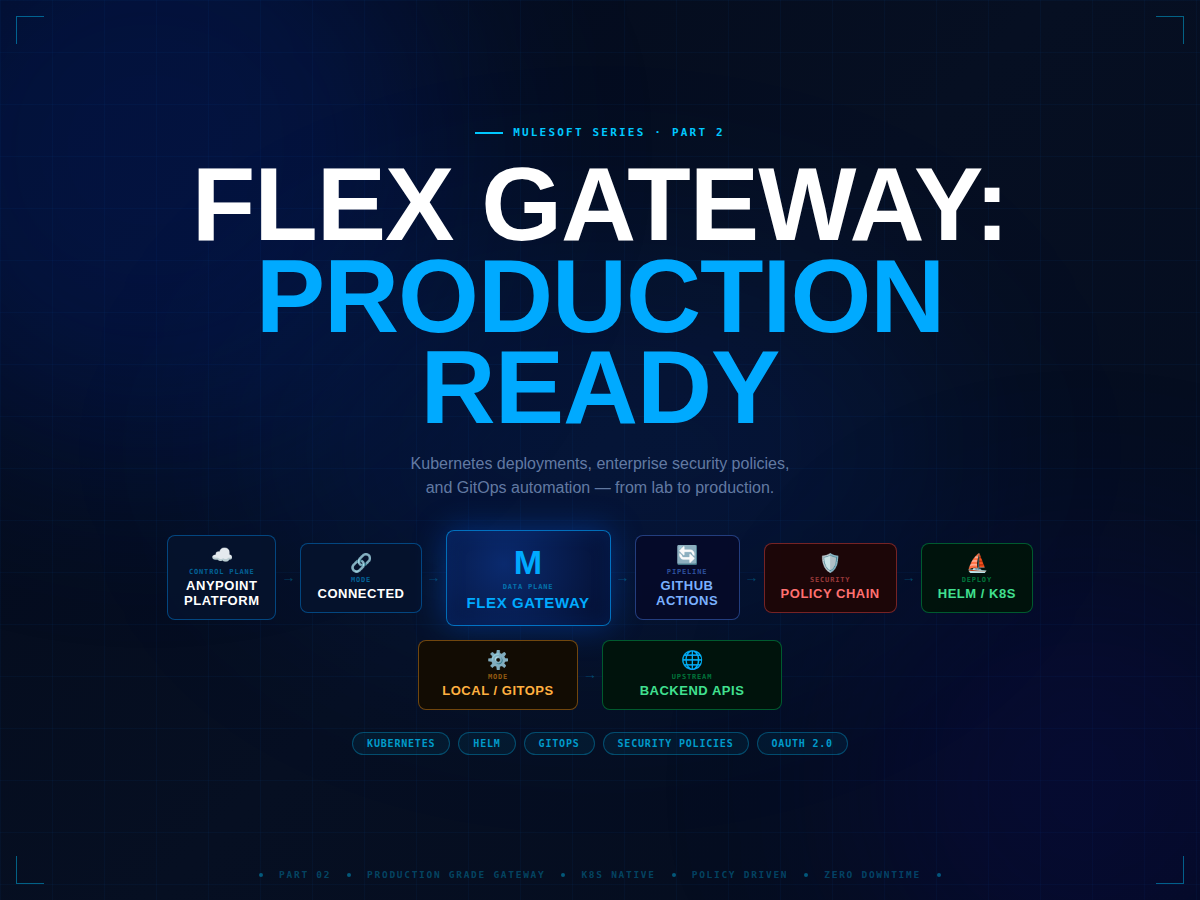
Part 1 was the foundation. In Part 2 we go production-grade — real Kubernetes deployments, enterprise security policies, and a CI/CD pipeline that deploys config changes with zero downtime.
☸️
Kubernetes Helm chart deployment with HPA auto-scaling
🔐
Security JWT, OAuth 2.0 introspection, and IP allowlisting
🚦
Traffic Policies Rate limiting by client, circuit breaking, request transformation
🔄
CI/CD GitHub Actions pipeline for automated zero-downtime config deploys