
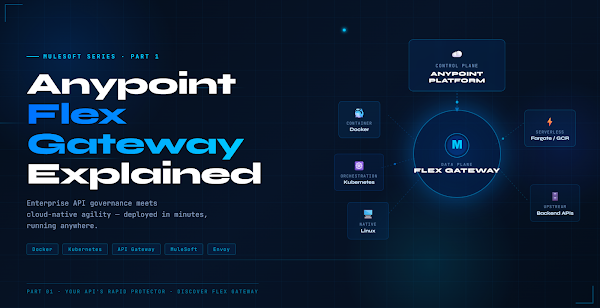
Anypoint Flex Gateway:Your API’s Rapid Protector
Enterprise API governance meets cloud-native agility — deployed in minutes, running anywhere. Here’s everything you need to know.

APIs are the nervous system of modern business. From mobile apps to enterprise systems, from microservices to AI platforms — everything talks through APIs. But as companies expand across hybrid and multi-cloud environments, governing that nervous system becomes a serious challenge.
In this post we’ll unpack what Flex Gateway is, why it exists, and get it running in under 10 minutes with a real backend API.
The API Governance Dilemma
Every organisation managing APIs at scale eventually hits one of three walls. If any of these sound familiar, you’ve felt the problem Flex Gateway was built to solve.
These aren’t niche edge cases — they’re the daily reality of platform engineering teams. The traditional options force a choice between governance and agility. Flex Gateway refuses to accept that trade-off.
What Is Flex Gateway?
Flex Gateway is a lightweight, Envoy-based API gateway built for modern distributed architectures. Unlike the traditional Mule Runtime — a full integration engine — Flex Gateway is purpose-built for one job: standing in front of your APIs and enforcing governance with minimal overhead.
The headline capability: it runs anywhere.
Architecture Overview
Flex Gateway separates into two planes: a control plane (Anypoint Platform or YAML config) and a data plane (the Envoy-based runtime). This separation is what makes it so flexible — you can swap the control plane without touching the runtime.
⚙ Local Mode
⚡ Rate Limiting
🔀 Traffic Routing
Core Building Blocks
Connected vs Local Mode
Understanding the two operational modes is fundamental before you deploy anything.
Hands-On: First Gateway in 10 Minutes
Enough theory. Let’s build something real. We’ll spin up a Node.js backend, configure Flex Gateway in Local Mode, run it in Docker, and verify traffic flows correctly — end to end.
const app = express();
const PORT = 3000;
app.use(express.json());
const products = [
{ id: 1, name: ‘API Gateway’, category: ‘infrastructure’, status: ‘active’ },
{ id: 2, name: ‘Service Mesh’, category: ‘networking’, status: ‘active’ },
{ id: 3, name: ‘Event Bus’, category: ‘messaging’, status: ‘beta’ },
];
// List all products
app.get(‘/api/products’, (req, res) => res.json(products));
// Get single product by ID
app.get(‘/api/products/:id’, (req, res) => {
const product = products.find(p => p.id === parseInt(req.params.id));
product
? res.json(product)
: res.status(404).json({ error: ‘Product not found’ });
});
// Health check with timestamp
app.get(‘/health’, (req, res) =>
res.json({ status: ‘UP’, timestamp: new Date() })
);
app.listen(PORT, () => console.log(`✅ Backend API on http://localhost:${PORT}`));
npm install express
node server.js
# Verify it’s running
curl http://localhost:3000/api/products
# → [{“id”:1,”name”:”API Gateway”,…}, …]
kind: Gateway
metadata:
name: product-gateway
labels:
environment: development
team: platform-engineering
spec:
# ── Network Listener ─────────────────────────────────────────
listeners:
– name: http-listener
port: 8081
protocol: HTTP
host: “0.0.0.0”
# ── API Routes ───────────────────────────────────────────────
routes:
# Public product catalog — read-only
– id: public-products
path:
– “/api/products”
– “/api/products/*”
methods: [“GET”]
upstream:
url: “http://host.docker.internal:3000”
timeout: 30s
# Health check — rate-limited to protect the endpoint
– id: health-check
path:
– “/health”
– “/status”
methods: [“GET”]
upstream:
url: “http://host.docker.internal:3000”
policies:
– rate-limiting:
maxRequests: 100
period: 60 # 100 requests per minute max
docker pull mulesoft/flex-gateway:latest
# Launch the gateway with your config mounted
docker run -d \
–name flex-gateway \
-p 8081:8081 \
-v $(pwd)/gateway-config.yaml:/etc/mulesoft/flex-gateway/conf.d/gateway-config.yaml \
mulesoft/flex-gateway:latest
# Confirm the container is healthy
docker ps
docker logs flex-gateway
3000. The gateway listens on port 8081. All traffic now flows through the gateway layer — routed, controlled, and observable.curl http://localhost:8081/api/products
# Fetch a single product by ID
curl http://localhost:8081/api/products/2
# Health check (rate-limited route)
curl http://localhost:8081/health
# Request with custom headers — gateway passes them upstream
curl -H “X-API-Key: demo-key” \
-H “Accept: application/json” \
http://localhost:8081/api/products
# Test 404 handling
curl http://localhost:8081/api/products/999
# → {“error”:”Product not found”}
Key Takeaways
What’s in Part 2
Part 1 was the foundation. In Part 2 we go production-grade — real Kubernetes deployments, enterprise security policies, and a CI/CD pipeline that deploys config changes with zero downtime.